


I used to be a bit of a techie. In the 80s and 90s, experiencing home computers and game consoles unlock their usefulness and capabilities was a wonder. But in those days, you had to be sort of a techie to use any of those devices. The first computers I learned how to use mostly operated on BASIC: from the Commodore 64 at the church, the Apple IIs at the school, and finally my first computer, the much-maligned TRS-80.
The BASIC days were cool in their way. One of the best parts of those days was building your own programs; painstakingly typing for hours, hoping against hope that you didn’t make one damned typo which would kill your new program in its tracks. You could find new programs printed out in magazines, and typing those out and seeing what they did felt like magic. And, once you were a little bit confident in your abilities and knowledge, you could tweak those programs to do things, both expected and unexpected. You would make a tiny little game (which seemed huge in those days), and with a tweak here, suddenly you had unlimited lives. A tweak there, and suddenly it’s running too fast to play.
Then the days when everybody seemed to settle on MS-DOS. Still a bunch of typing, but easier in a way. All you needed to do was remember a few commands. You could still code up some scripts here and there (and I did—had a pretty decent batch file menu program I made there for a while), but it wasn’t front-and-forward.
A halcyon day, sure, but not a better day. Computers and devices are unquestionably better now. Sure, the tinkering bit has lost its luster, but I can now sit down at a machine with a massive color screen, and without a thought of more than what I want to write, write a blog post. No coding, tinkering, waiting for a cassette tape or floppy drive, or knowledge that the whole thing will probably crash.
Then text turned to images, and we were in the Windows days. The beginning was rough, probably well into the mid-2000s. I worked in tech support for a bit in that era, fixing users’ computers and building some network infrastructure. Towards the end of that era we even went wireless. Computers were finally becoming reliable tools, and as a result they became universally used. The explosion of the internet’s capabilities didn’t hurt.
But for the past two decades or so, I have been primarily a Mac user. Sure, all the jobs in that span have required me to use Windows, and I’ve had a few linux machines over that time to try and recapture the magic of tinkering and learning, but for most of my tasks, my computer life was on an Apple machine of one sort or the other. I’m typing this on a M1 Mac Mini.
Following last week’s mistake, I finally received a M.2 SSD from the bookstore (after several unexplained delivery delays), so I could finally start to set up this home server I have been planning. And, I’m pretty out of my element now. I have definitely not kept up with current tech outside of the Mac and Windows world. So, hey, a learning experience. How fun.
Based on what seems an overwhelming amount of guidance and suggestions, I decided to set up Proxmox on the little box. It’s a miniature lightweight Linux operating system that does nothing more than set up a platform for other virtual operating systems to run concurrently. It seems most of the server applications I am interested in work in those virtual operating systems, so it seemed a good bet.
I opened up that little Dell box of 2018 and removed the Optane card and replaced it with the new SSD, powered on to confirm it worked, and closed up the box. Following the directions here (found while researching Home Assistant and it seemed the best guide for Proxmox as well), successfully installed the operating system. Honestly, that was the easiest part. It took about 10 minutes from booting the USB drive to having a functioning server operating system.
But that’s about the only easy thing. First, the storage. We had the server installed on the little SSD, but I also had a big spinny rust hard drive I wanted to use as well. Getting that working with Proxmox was significantly more complicated. Maybe it didn’t need to be, but the documentation on adding a second hard drive is basically nonexistent for beginners because, I assume, it’s assumed you already know how to do that if you are setting up a server. Working in Linux and a flavor of it that doesn’t really do anything other than be a server doesn’t help. There’s no System Settings menu. There’s no File Explorer. There’s a terminal/shell (for entering text commands) and there’s some weird arcane options thrown around the graphical UI.
I tried about a thousand different things. To be honest, I’m not sure which one or several of them worked. I’m not even 100% sure it does work. But it seems to. Some combination of “Initialize Disk with GPT” and “Create:Directory” maybe. But I did kill my Proxmox installation a couple of times by failing and had to reinstall. Got pretty good at reinstalling. Luckily this machine doesn’t actually do anything yet.
But I did finally manage to install our first application for this server: a simple file server. I figured if I had a server, it would be nice to have a little file server running as well. So, after some trial and error, and reading a bunch of suggestions, I ended up going with Open Media Vault. Following these instructions (and, honestly, several Youtube videos when things didn’t make sense—which was a lot), and a lot of trial and error (there are a lot of gaps in vital knowledge here on my part), I did manage to get something up and running. But it works! I can open and save documents on my network share from my Mac! (This was something I tried to do back in like 2015 and failed miserably, so this is a gigantic win on my part.)
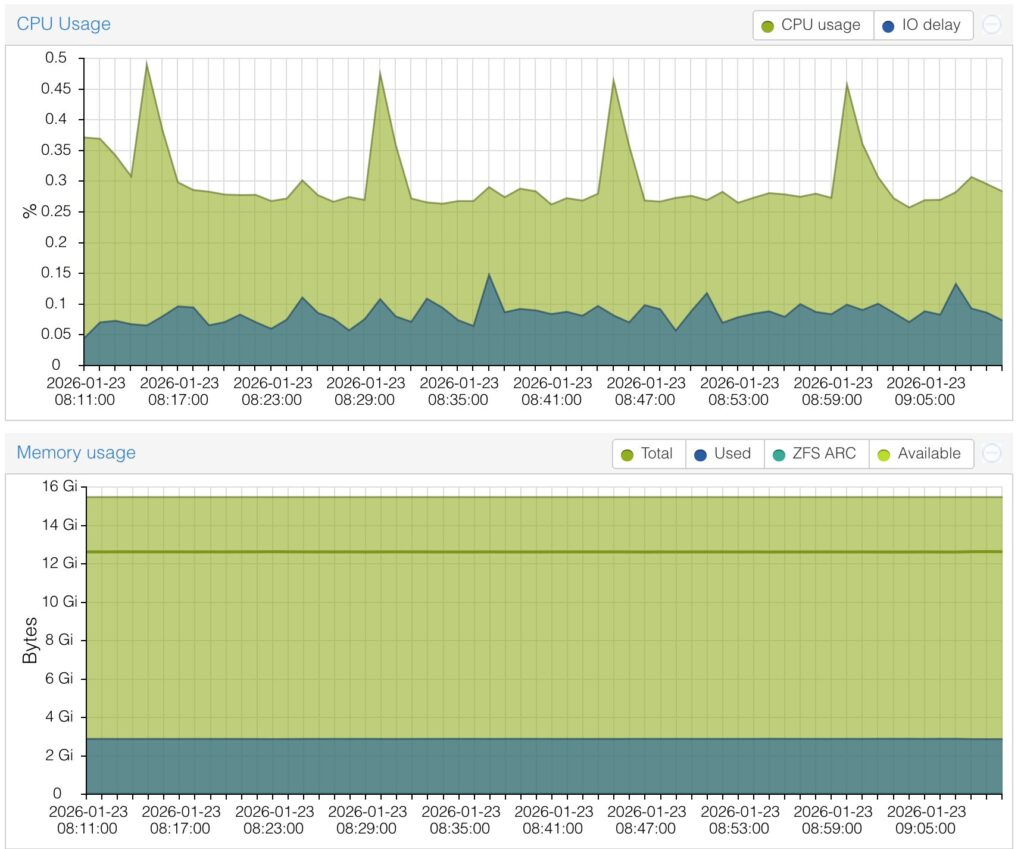
So, we technically have a server up and running. It’s kind of neat. Its running well so far according to a bunch of graphs I barely understand in the Proxmox, and we’ll see how to continues to go.
The next step is installing Home Assistant. We’ll see how that goes. I’m cautiously optimistic.
Previously: