


Well, oops.
I was going to spend my second post in this series detailing my experience setting up the server, installing applications, and getting Home Assistant running. Instead, though, a pretty big oversight means I will have to wait a bit.
I bought a refurbished Dell machine, which seemed plenty enough for what I wanted to do with it: 8th generation i5 Intel processor, 16GB RAM, and 1T storage. Except, oops, I didn’t notice that it included the stupid Intel Optane chip and the real storage is a spinny rust hard drive. Probably showing how long since it’s been since I regularly used or maintained a Windows desktop computer, I had no idea what Optane is, or what it does. I’ve learned it’s a weird cache for the hard drive, promising (but failing) to make it nearly as fast as a modern SSD. I tried it once—it sucked. So I spent the last day or so just trying to figure out what to do with it, and how to go about it.
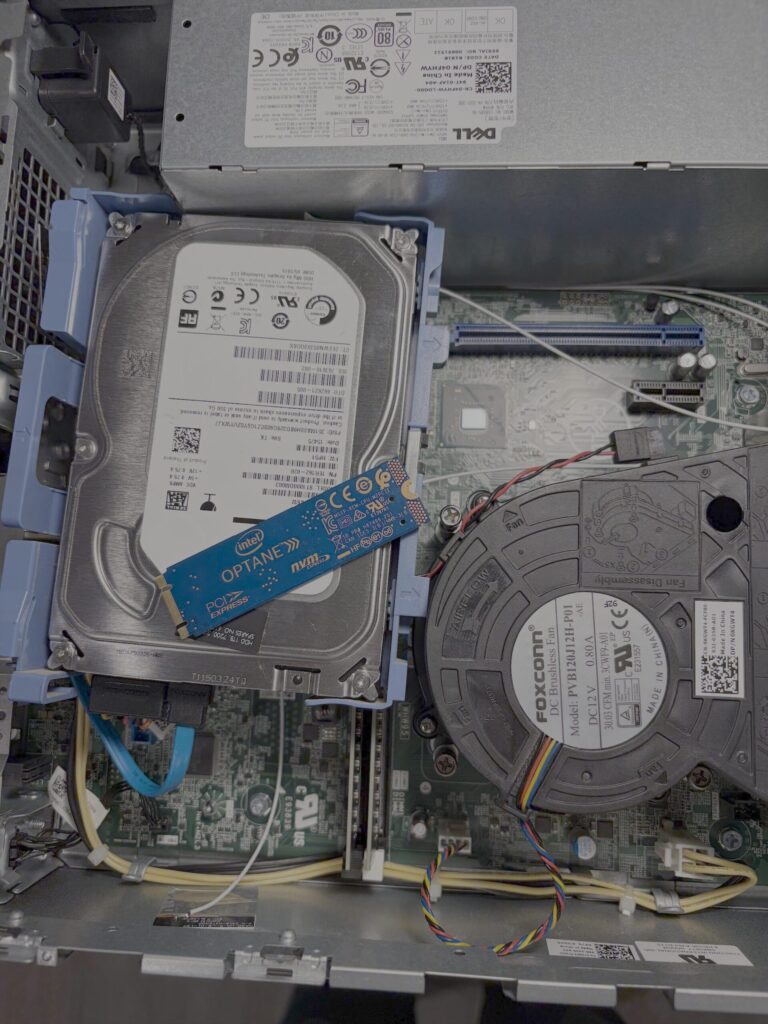
Turns out, it can be replaced with a normal modern SSD (it is in a M.2 slot, whatever that is). So now I’m waiting for a cheap SSD to plug into it to get it started. I’ll keep the 1TB drive for additional storage that doesn’t need to be fast. We’ll see how it goes.
But let that be a lesson to take special note of the computer specs when making a purchase: you have no idea what tomfoolery there is you may not have ever heard of.
Previously:
More: